
Add an item to your library
Tap More > Item Library > +, then fill in:
Item name
Description (optional)
Price
Unit
Taxable by default: toggle on if this item should have tax applied automatically
Add a saved item to an estimate or invoice
While building an estimate or invoice, tap Add item and select the saved item from your library. It comes in with whatever name, description, price, and tax setting you saved.
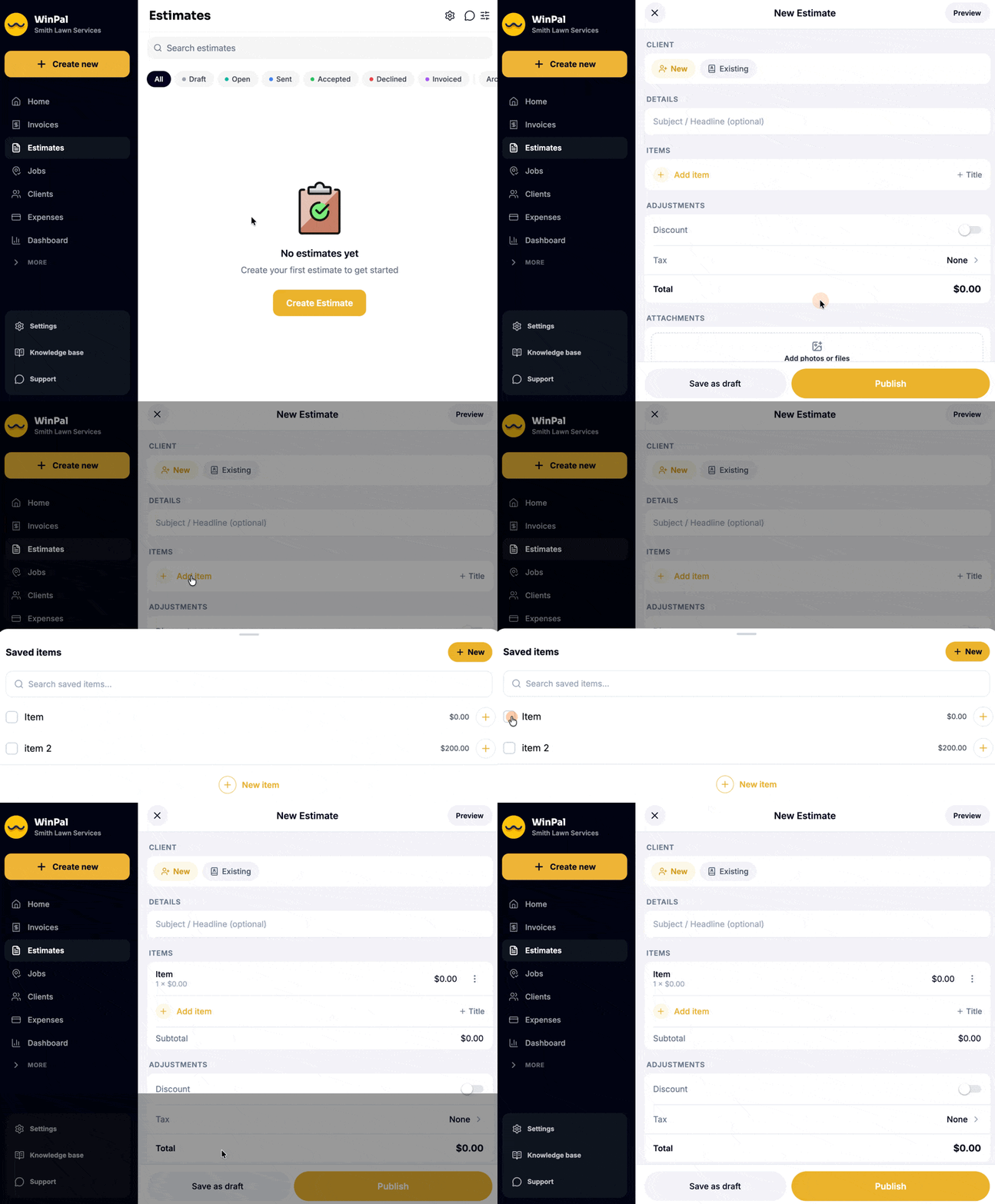

Need to tweak an item just for this one estimate or invoice? Tap the + icon next to the item once it's added. This lets you edit it for that document and it won't change the original item saved in your library.