You can confirm whether a client has viewed or opened your estimate or invoice by checking Activity.
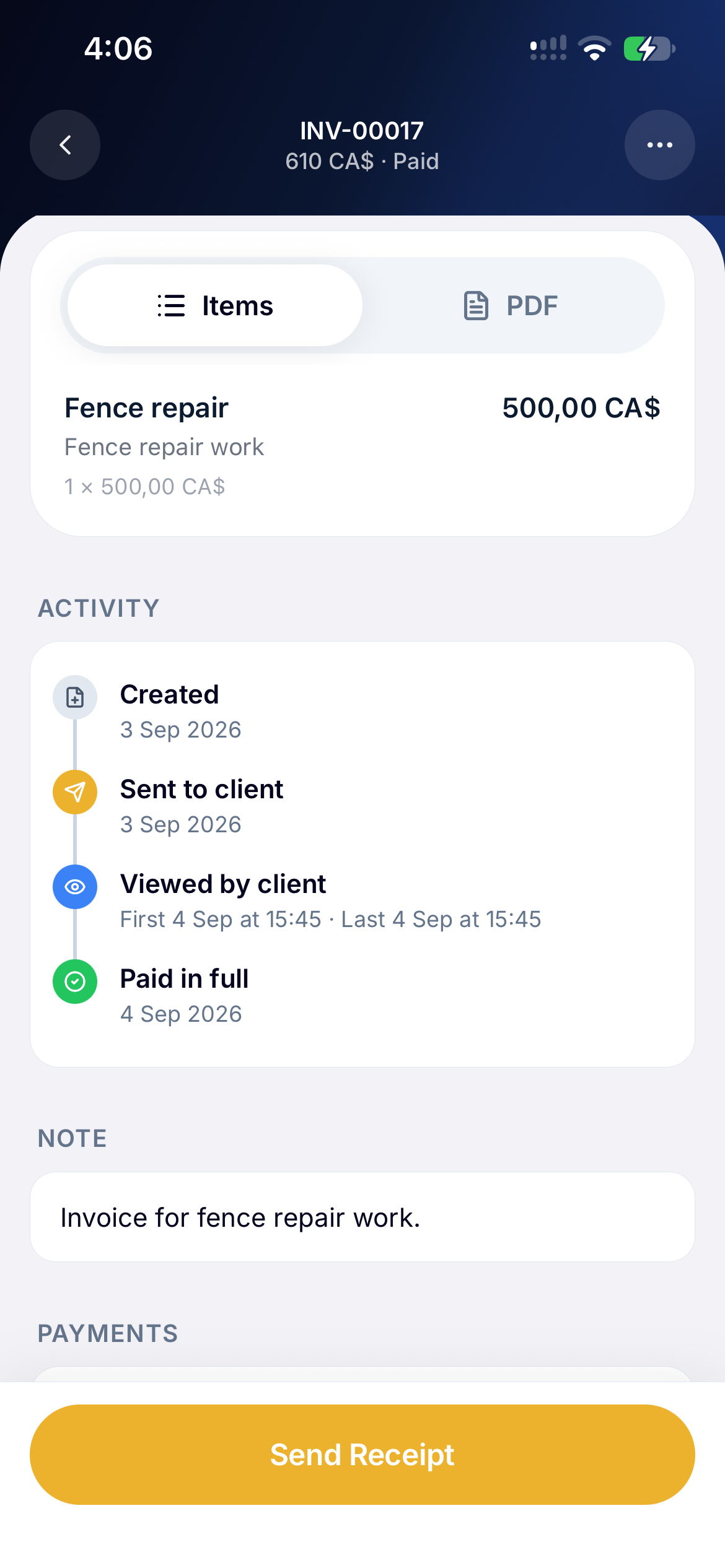
If the status shows:
Viewed by client: they opened it.
Only Sent to client: they haven't opened it yet.
The email shows your business name as the sender and comes from [email protected].
Ask your client to look in Spam, Junk, or Promotions, or to search their inbox for [email protected]. If they find it there, they should mark it as "Not spam" so the next one lands in their inbox.
One wrong letter is enough to lose an email. Open the client from Clients, tap Edit, and fix the address. Then send it again:
Open the estimate and tap Send.
Tap Send via WinPal.
Check the address in To, then tap Send.

A text skips the spam folder completely.
Open the estimate and tap Send.
Tap Share Link.
Pick Messages, WhatsApp, or any other app, and send it.
Your client opens the same estimate or invoice page and can accept it from there. Prefer to paste the link yourself? Tap ⋯ > Copy Client Link.
Replies come to you. When your client hits reply, it goes to the email shown in Reply-to when you send, by default your business email added in Business Info.
Want to attach a PDF yourself? See Can I download estimates and invoices as a PDF attachment instead of a link?