Tap + Create, choose Invoice, then choose One-off or Recurring.
Choose Create with AI (describe the job by typing or talking, add photos, address, and measurements, and pick a detail level) or Create manually.
Payment section:
Payment terms: On Receipt, Net 15, Net 30, or Net 60.
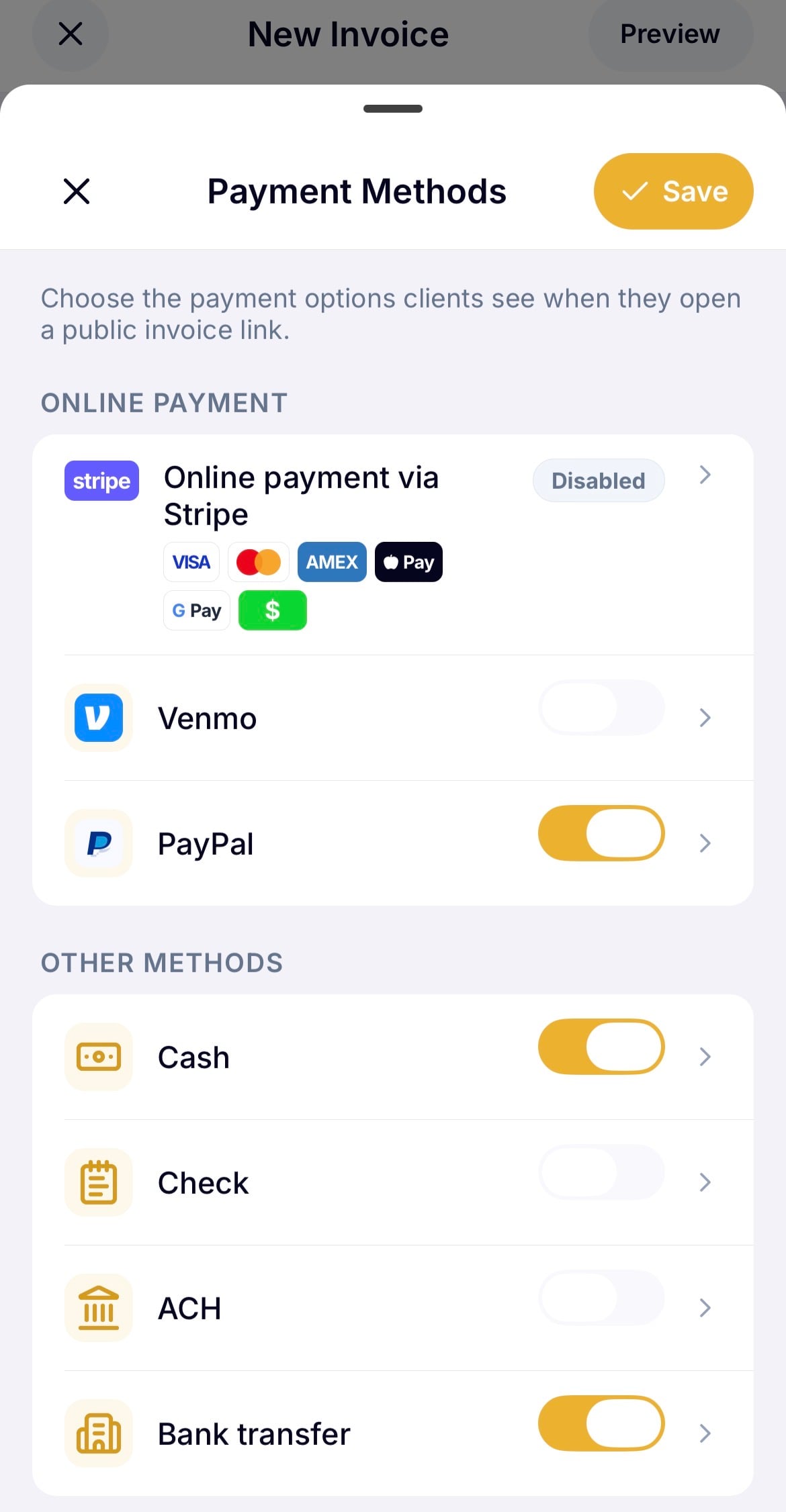
Payment methods: enable online payments via Stripe, Venmo, or PayPal, or toggle on other methods (cash, check, bank transfer) and add your own instructions for each.
Choose Recurring, then set up the schedule:
Title
Frequency: weekly, biweekly, or monthly
Start date
End date (optional, toggle on if you want it to stop automatically after a certain date)
Auto-send (optional): toggle on to have WinPal automatically email each invoice when it's generated
To pause a recurring invoice:
Go to Invoices > Recurring, select it, and tap Pause.
To link a recurring invoice to a job:
Open the ⋮ menu and choose Link to a job.

In the Adjustments section you can apply a discount and/or tax to the invoice:
Discounts: toggle on Discounts, then add a percentage or a dollar amount.
Tax: tap the percentage under Tax to apply it, choose how much, and whether it applies to the total or only to taxable items.
You can customize how the invoice and its page look including, template, color, logo, and which details show. See Customizing your invoice & estimate PDFs.
Open the ⋮ menu for: Duplicate, Link to a job, Archive, Mark as uncollectible, Cancel invoice.
Once you're happy with your invoice tap Save as draft or Publish. After publishing, you can:
Share link: get a link to send yourself however you reach the client.
Send via WinPal: sends a WinPal-branded email to the client with a PDF of the invoice attached.
When a client pays tap Record payment to mark the invoice paid (or partially paid, if it's not the full amount).
Status | What it means |
Draft | Created but not yet sent |
Open | Ready to send |
Sent | Delivered to the client, payment not yet received |
Overdue | Past the payment terms deadline with no payment |
Partial | Some, but not all, of the amount due has been recorded |
Paid | Paid in full |
Cancelled | Manually cancelled from the three-dot menu—no longer active, payment not expected |
Uncollectible | Manually marked from the three-dot menu when you don't expect to collect payment |
Archived | No longer active |