
Projected Revenue
Tap Dashboard to see your Projected Revenue, the total of everything you've invoiced plus accepted and open estimates that haven't been billed yet.
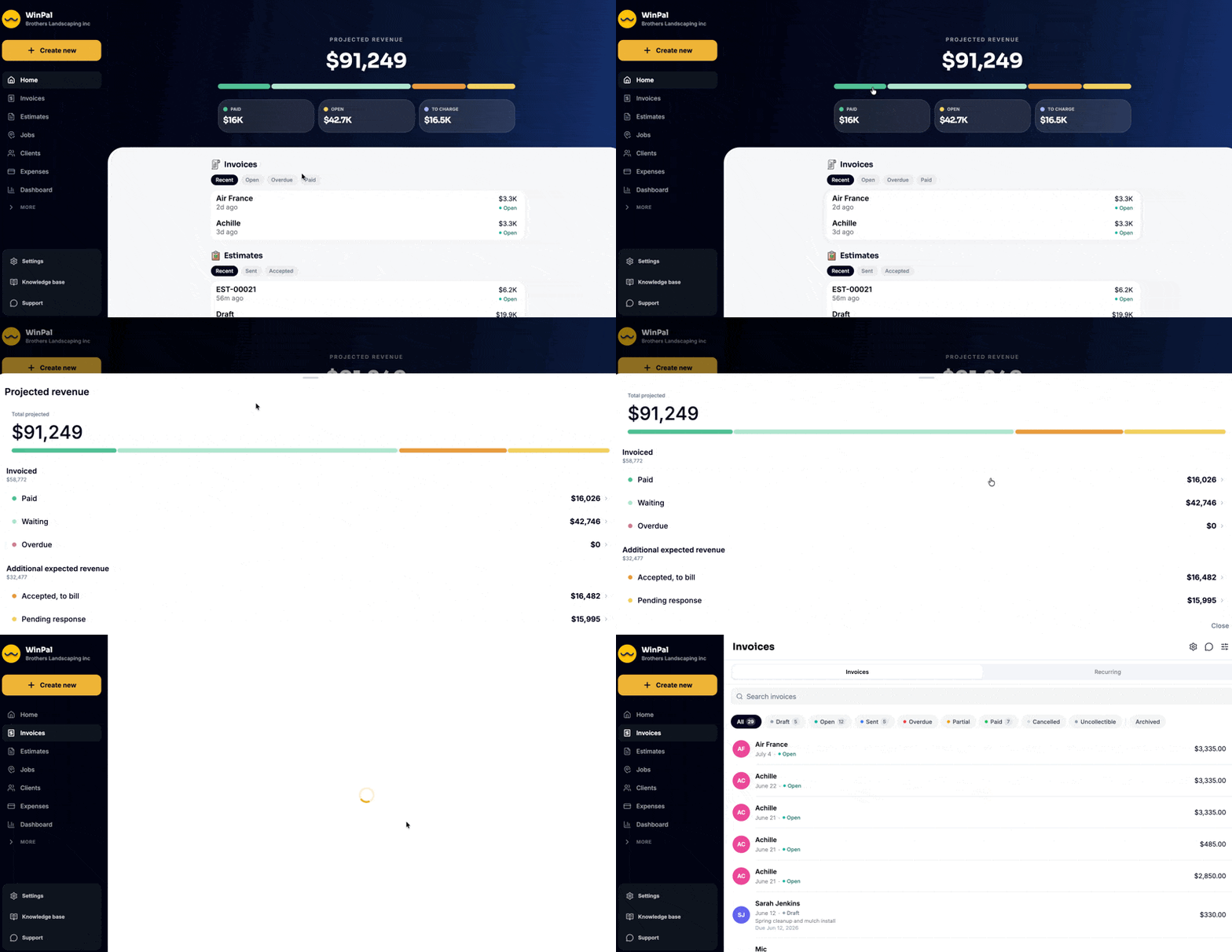
Tap it to see the full breakdown:
Invoiced
Paid: invoices that have been paid in full.
Waiting: invoices sent and awaiting payment.
Overdue: invoices past their payment terms deadline.
Additional expected revenue
Accepted, to bill: estimates accepted by clients that haven't been invoiced yet.
Pending response: estimates sent to clients that are still awaiting a response.
Invoices
A quick view of your recent invoices, filterable by Recent, Open, Overdue, and Paid. Tap any invoice to open it.
Estimates
A quick view of your recent estimates and their statuses. Tap any estimate to open it.